Administrators can directly assign mock tests or any courses with learner accounts in Gokaku Nihongo.
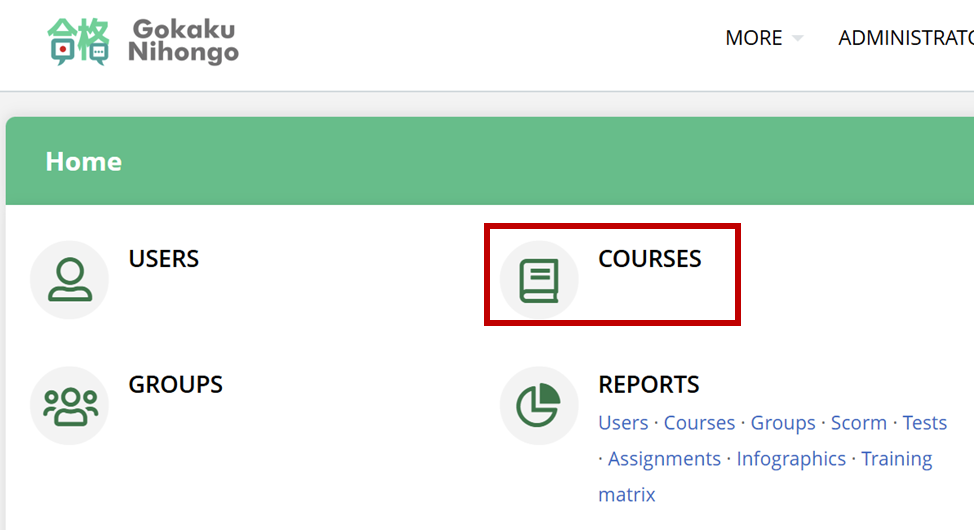
1) Log in as an administrator and click "Courses"
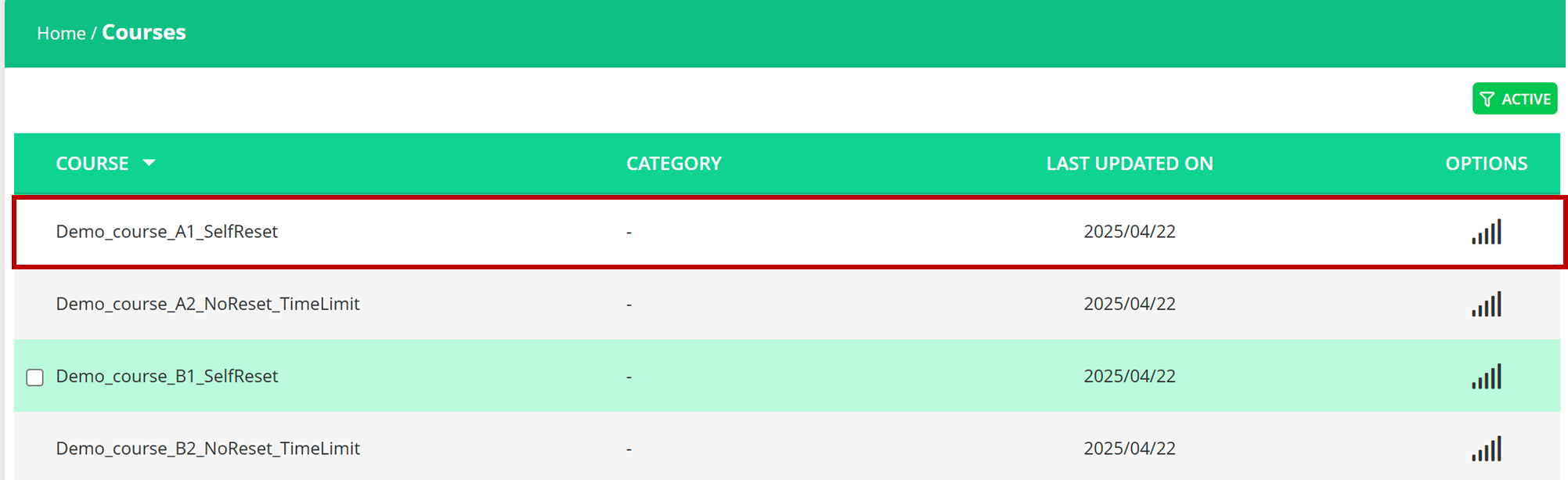
2) Find the mock test or course that you want to assign
for your search, please read: [Search for your desired mock test]
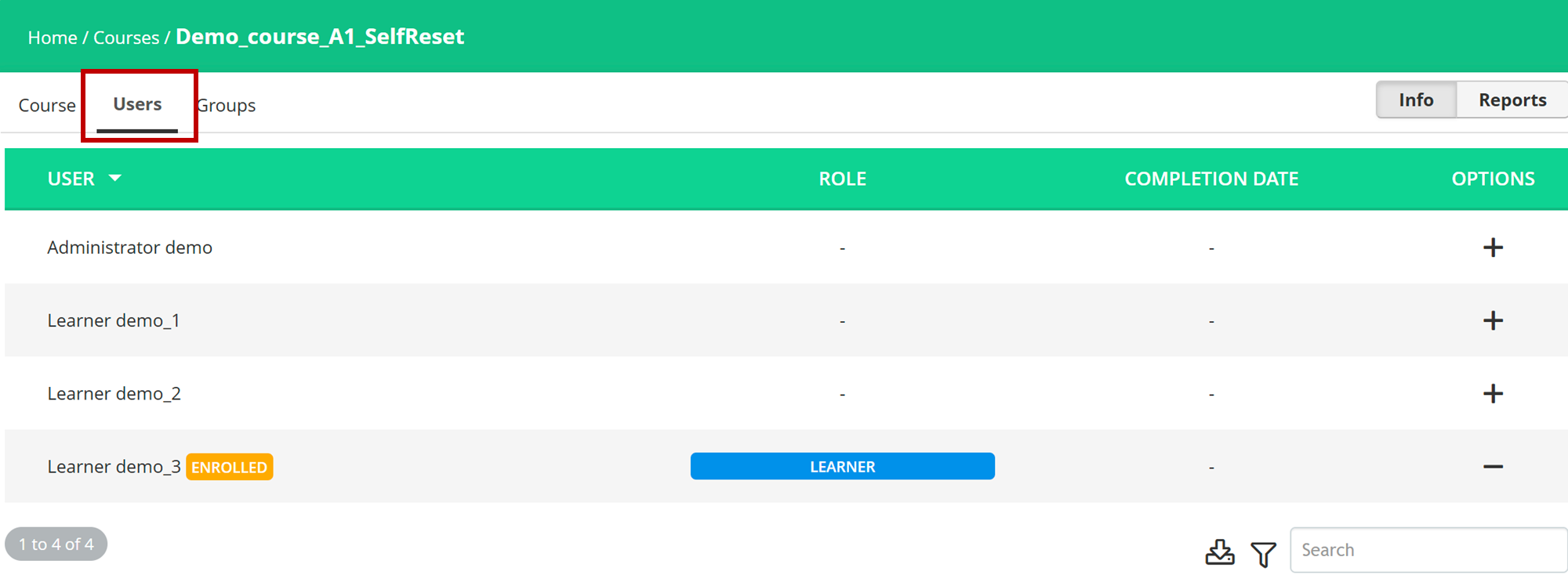
3) Click "User" Tab to display all your leaners
4) Click "+" to enroll the learners and "-" to unenroll the learners
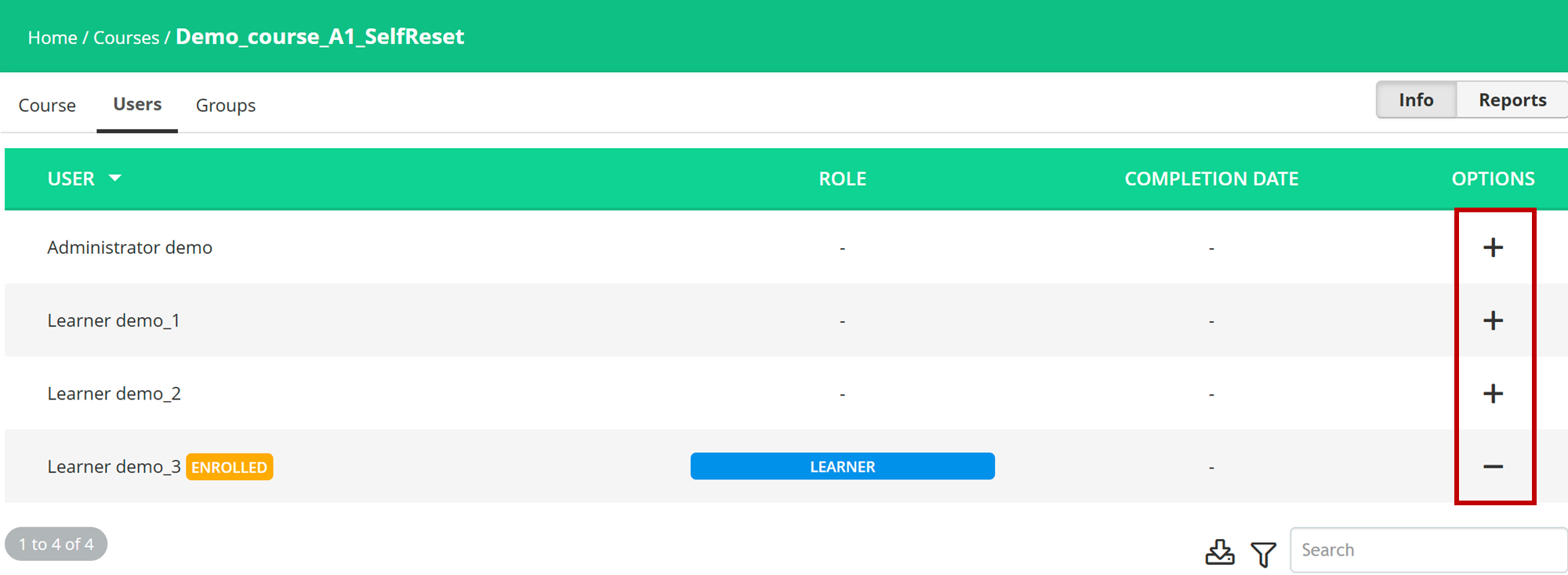
Now you assigned the selected mock test or course to users!
この記事は役に立ちましたか?
それは素晴らしい!
フィードバックありがとうございます
お役に立てず申し訳ございません!
フィードバックありがとうございます
フィードバックを送信しました
記事の改善におけるご協力ありがとうございます。