Here is how to check over all students' status with "team" and "class" tag to easily identify the students
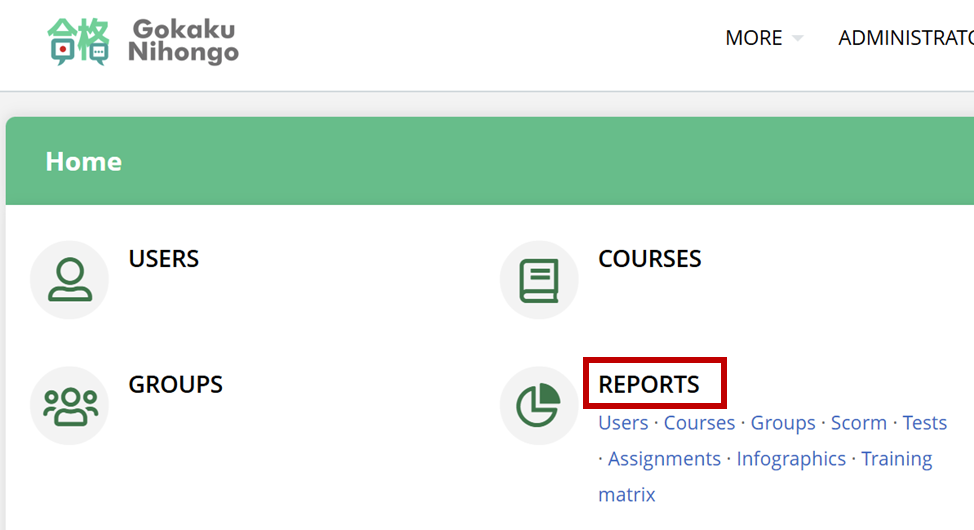
1) Log in as an administrator and go to report
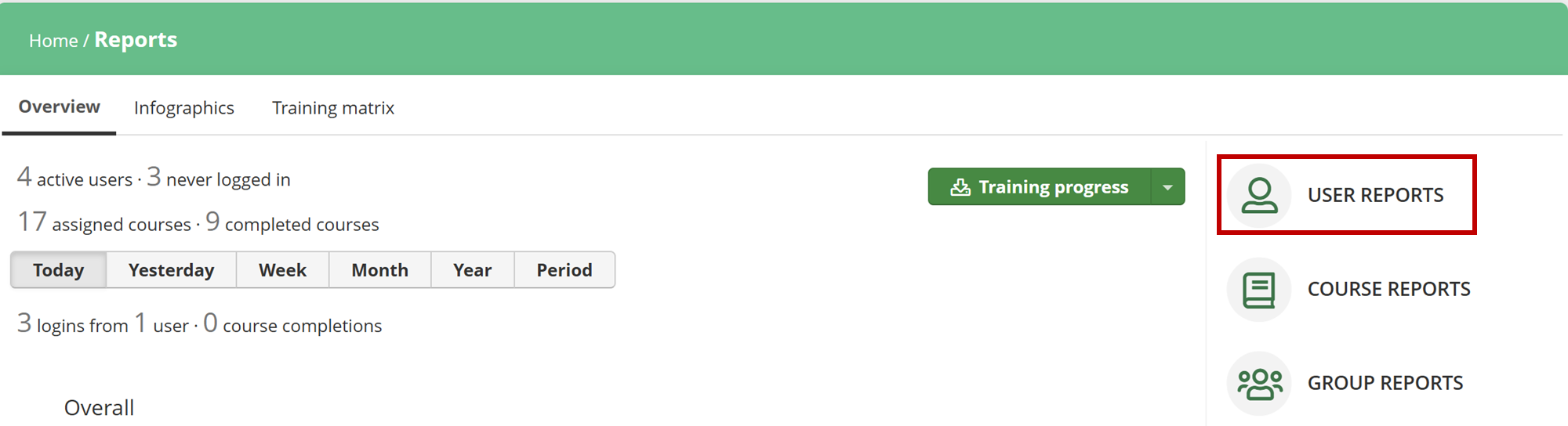
2) Click "User Report"
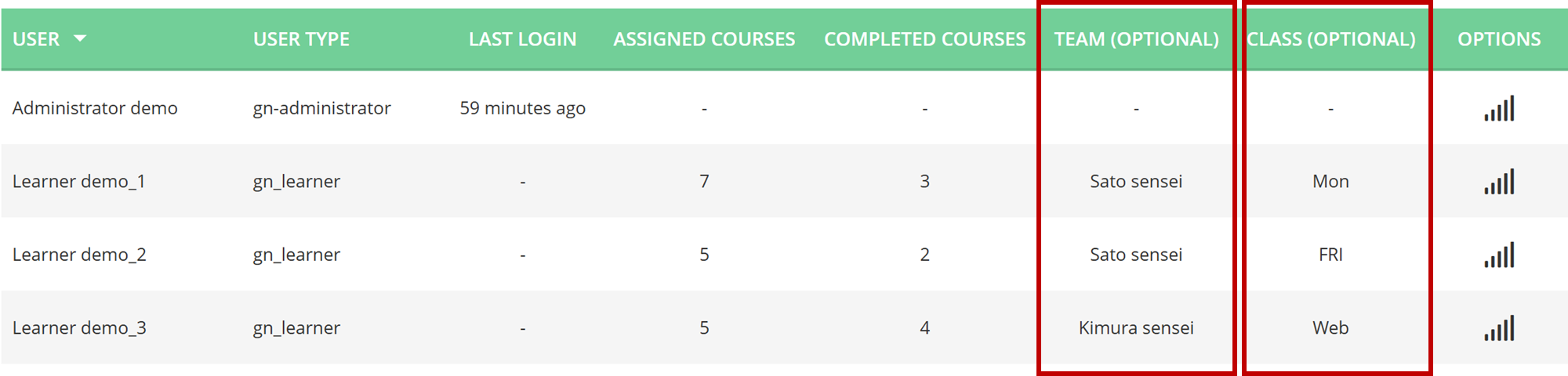
3) You will have the following list with users, "team" and "class"
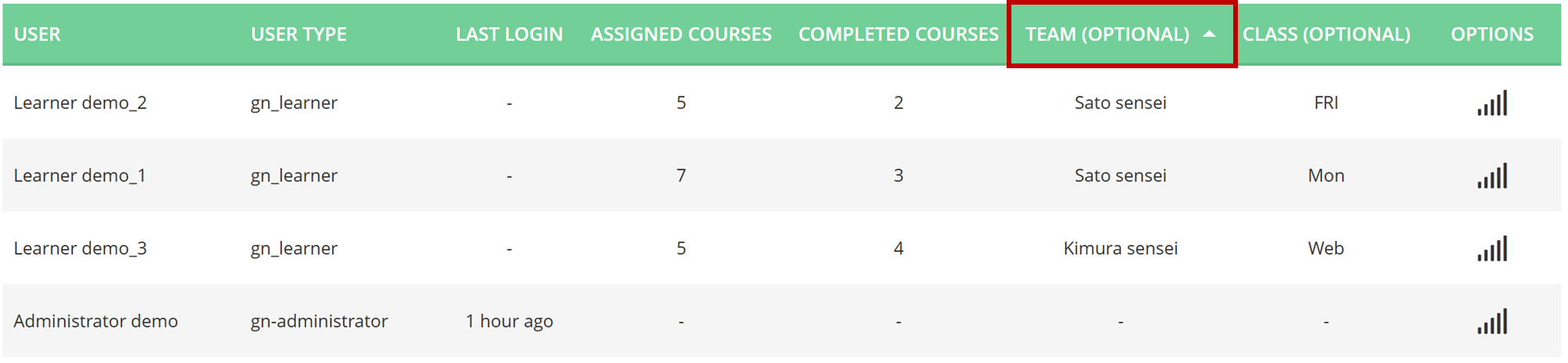
4) You can sort by "Team" or "Class" in this Web-Based reporting
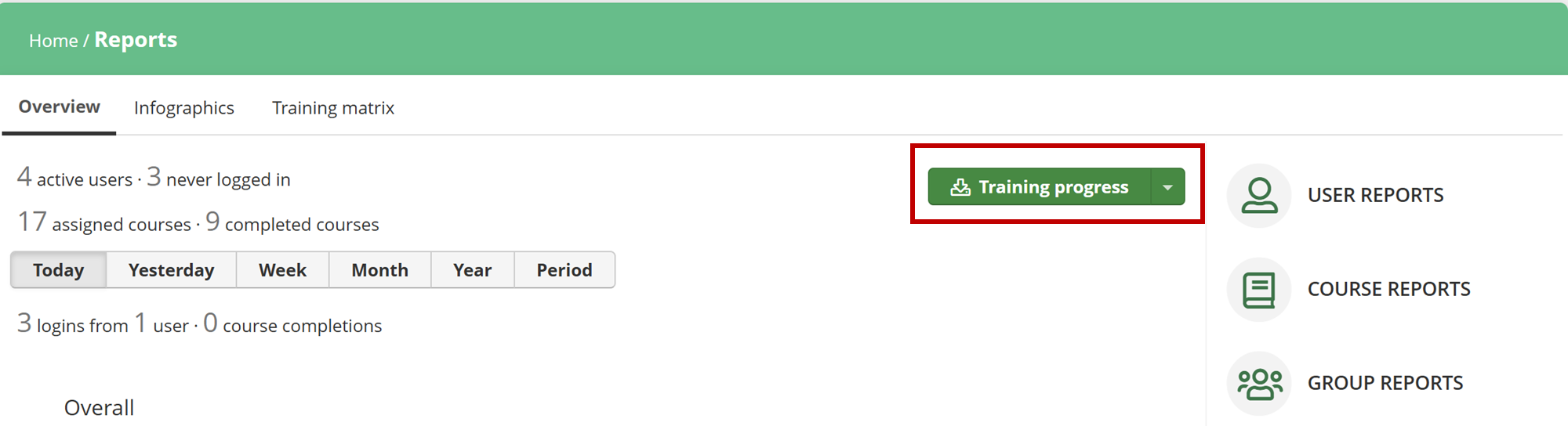
5) If you wish to sort by both "Team" and "Class", you need to download the report by clicking "Training Progress" button
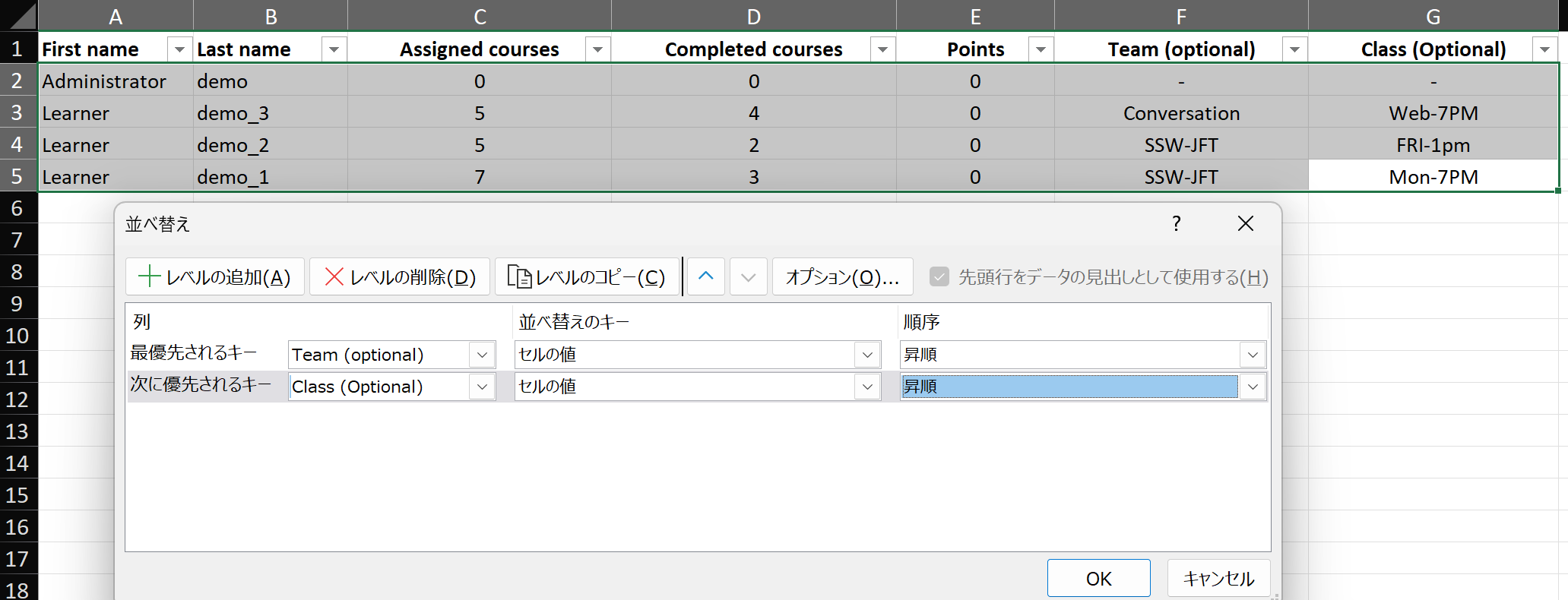
6) In the excel file, you will find the same user information and can apply the sorting to both "team" and "class"
この記事は役に立ちましたか?
それは素晴らしい!
フィードバックありがとうございます
お役に立てず申し訳ございません!
フィードバックありがとうございます
フィードバックを送信しました
記事の改善におけるご協力ありがとうございます。